Code samples
The 10x Resume code samples page offers candidates an opportunity to present code demonstrating code they’ve written as a software engineer.
Sample List
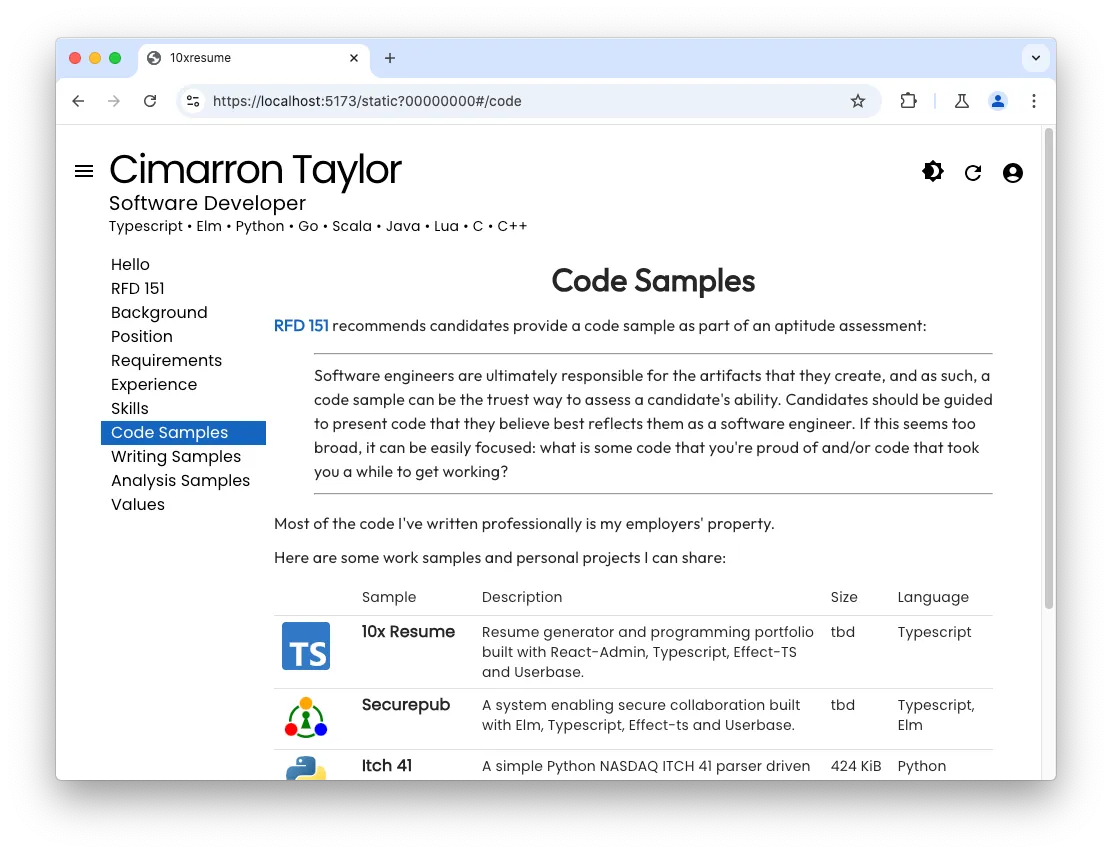
The code samples page presents a list of the samples the candidate has prepared. Each sample in the list includes a short description, the size of the sample and its language.
Clicking on a 10x Resume sample downloads the files to the browser. Reviewers can choose to skip large samples if their time or bandwidth is limited.
Selected Sample
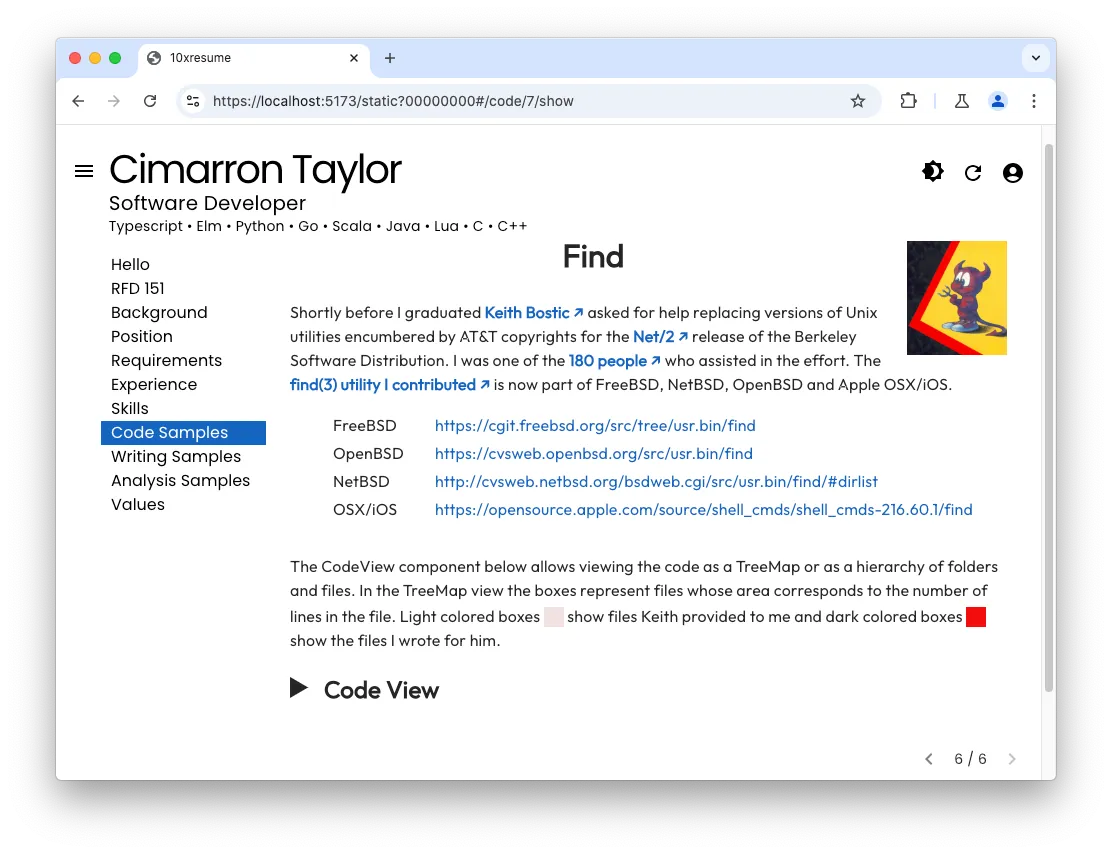
Selecting one of the samples in the list navigates to a view showing additional details about the selected sample.
Code View
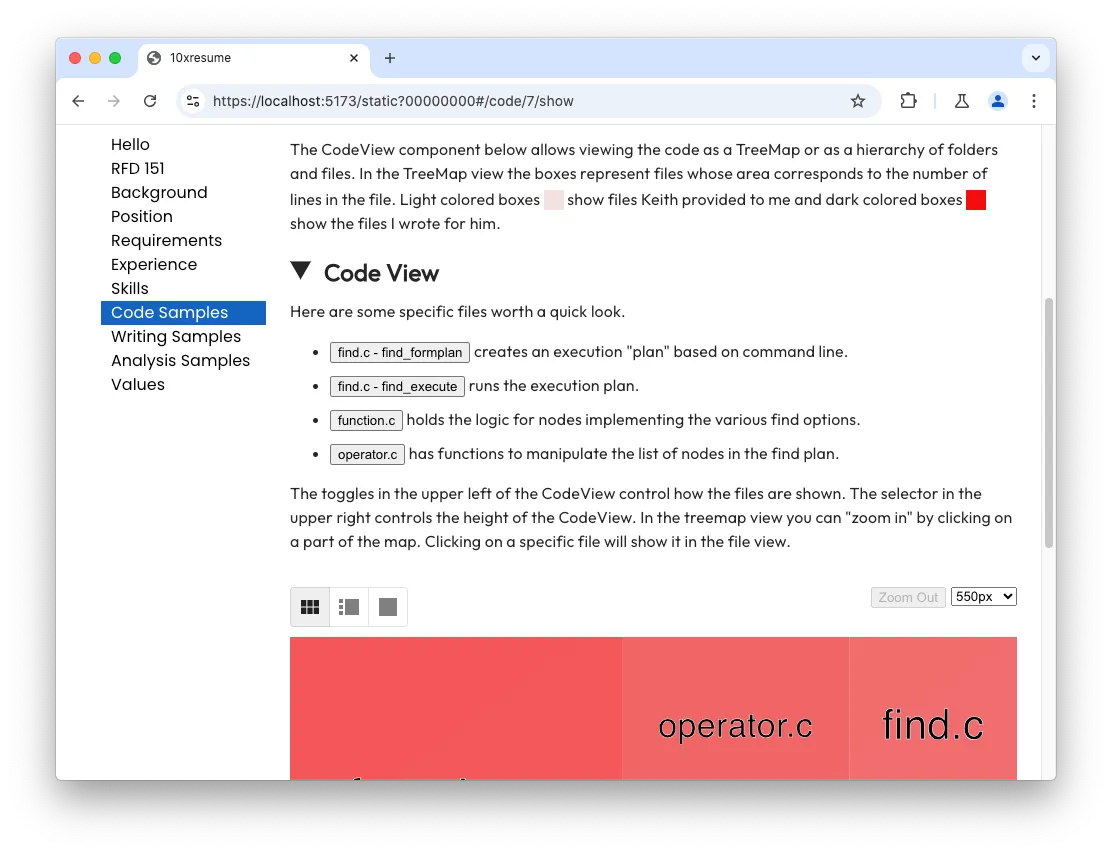
Candidates may use the 10x Resume Code View component to call attention to specific parts of the code reviewers may want to explore.
Tree Map view
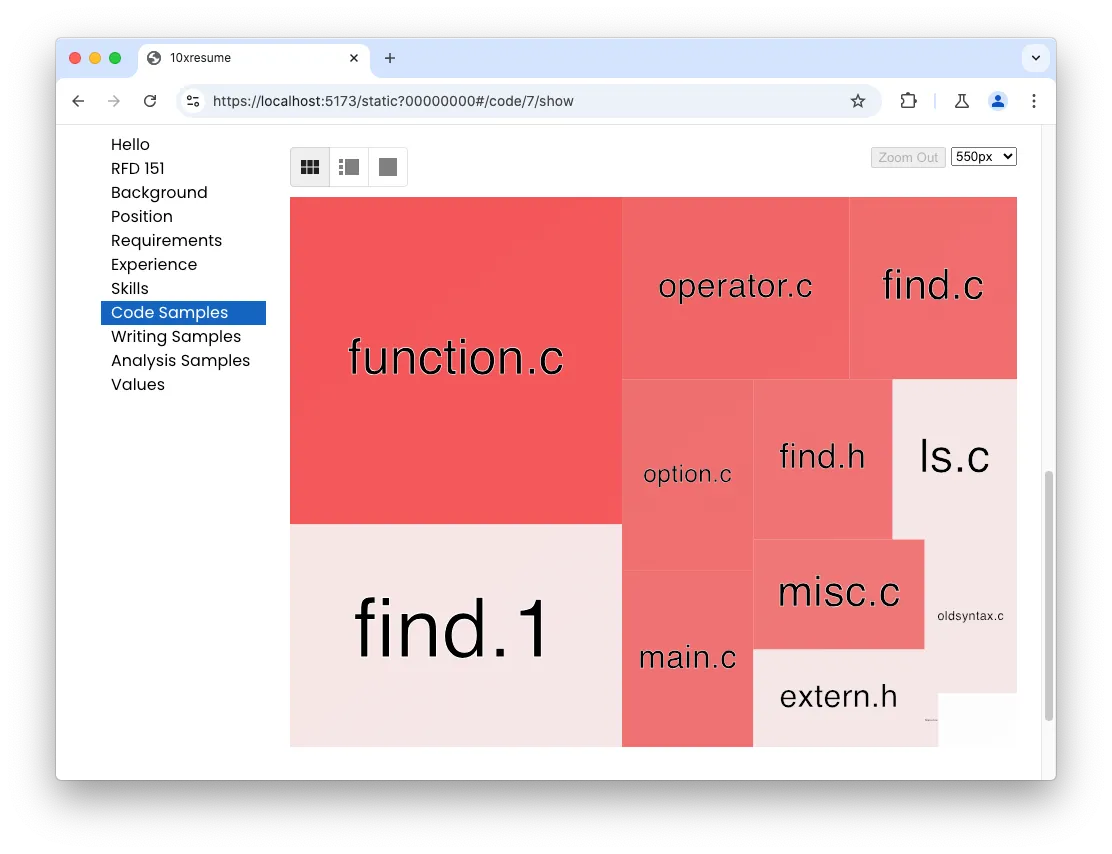
Code samples may be viewed as a Tree Map to see a high-level overview of the code.
Candidates specify the size and color of each item when they prepare their code sample. 10x Resume recommends using sizes based on the file sizes and colors correlated with candidate’s contribution to the file.
Reviewers may navigate the view by selecting a directory or file.
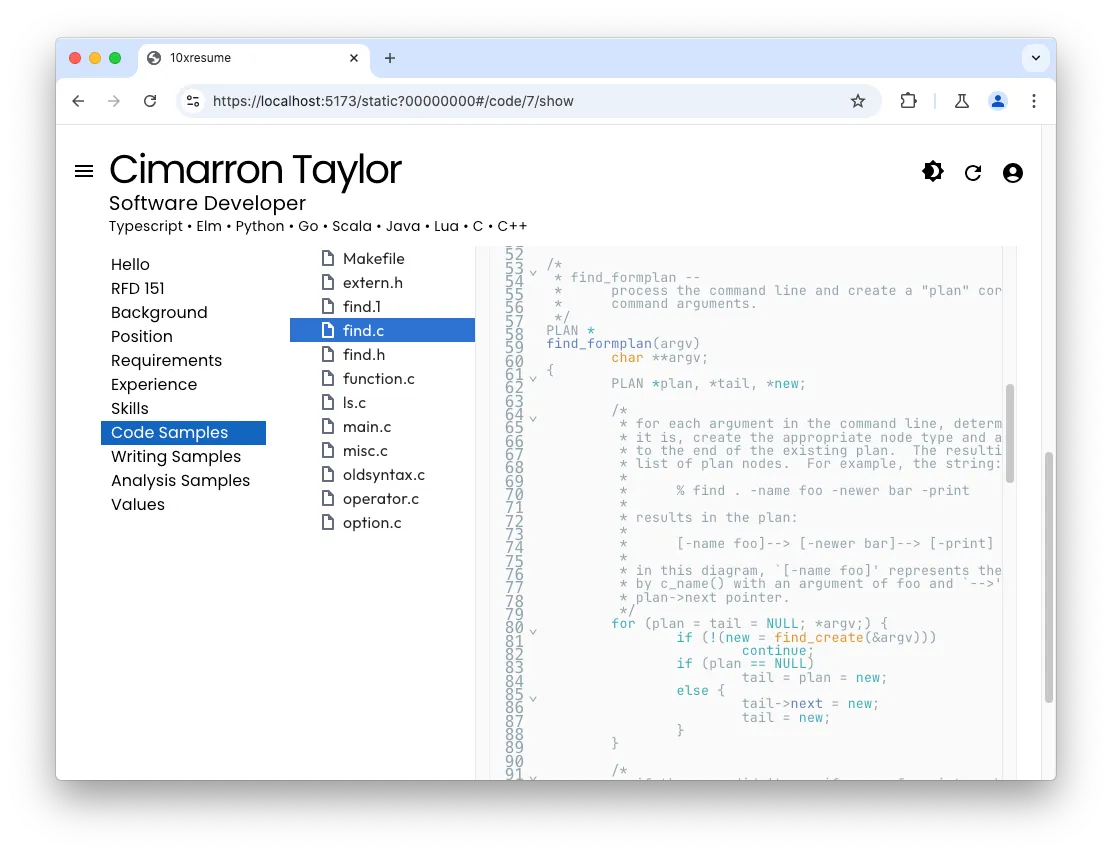
File Tree view
Reviewers may also switch to a traditional tree view with directories and files on the left and content of the selected file on the right.
The 10x Resume File Tree view
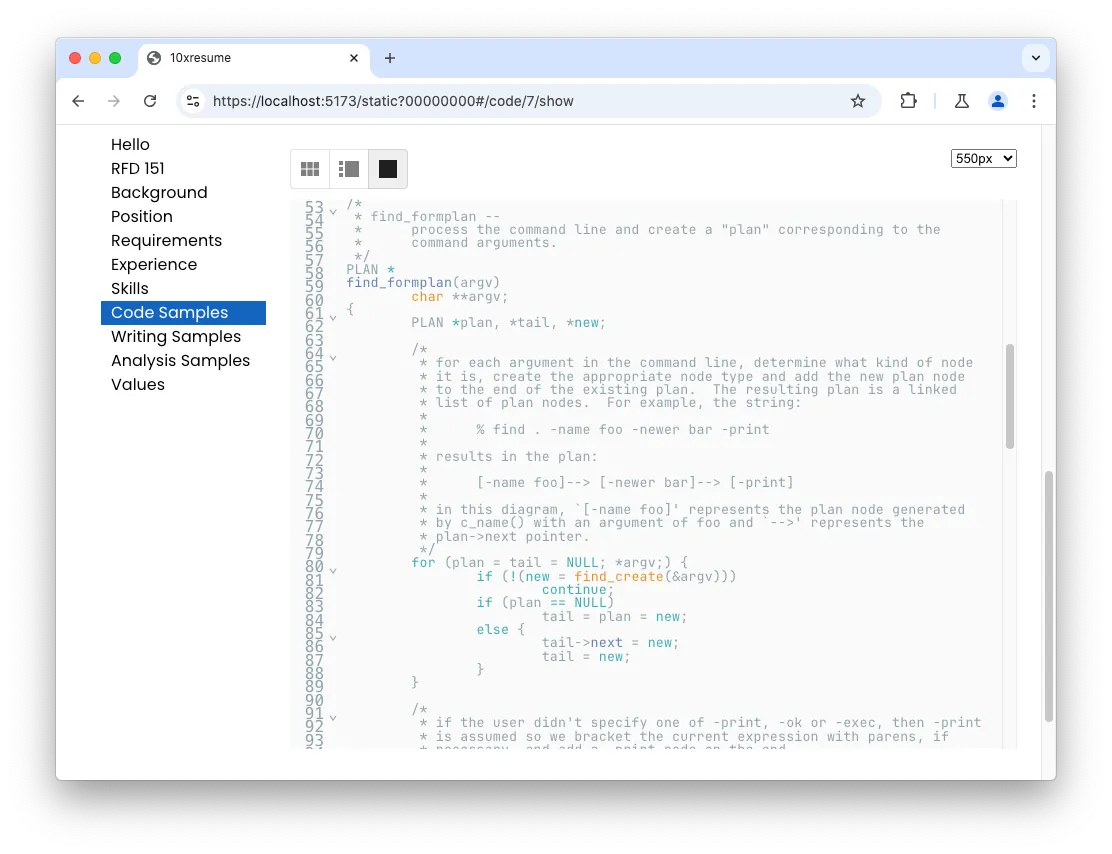
Single File view
Reviews may switch to the Single File view to dismiss the tree view and focus on the code.
10x/code.*.md
Directorydev
DirectoryJob
DirectoryPortfolio
DirectorySrc
Directory10x
- code.1.md
- code.2.md
- …
Each of the code.*.md markdown files in the Job/Portfolio/Src/10x directory
hold details about a code sample a candidate has shared.
The markdown content of each file holds the content presented when the sample is selected.
The frontmatter of each file holds a code resource and an optional code_zip resource.
The code resource has the following fields:
| Field | Description |
|---|---|
| id | the id of the resource |
| kind | the constant string ‘code’ |
| html | path to result html describing the code |
| icon | the icon associated with the code sample in light mode |
| dark | the icon associated with the code sample in dark mode |
| name | the name of the sample shown as a title |
| desc | a short description of the sample to show in the sample list |
| lang | languages of the sample to show in the sample list |
| codedir | subdirectory containing the sample files |
| size | size of the sample to show in the sample list |
The code_zip resource has the following fields:
| Field | Description |
|---|---|
| id | the id of the resource |
| kind | the constant string ‘code_zip’ |
| subdir | subdirectory with associated code samples |
Example code.7.md
---title: Findlayout: Plain.htmlresources:  - id: 7    kind: code    html: code.7/index.html    icon: icons.1/bsd.gif    dark: icons.1/bsd.gif    name: Find    desc: The find(3) utility used by billions of FreeBSD, NetBSD, OpenBSD and Apple OSX/iOS systems.    lang: C    codedir: find    size: 128 KiB    nozip: false
  - id: 7    kind: code_zip    subdir: code.7---
<style>.Sample h1                { text-align:center; }.Sample table             { margin-left: 40px; }.Sample td:nth-of-type(1) { width: 100px; }</style><div class="Sample"><img style="float: right; width: 100px; margin: 10px;" src="/10x/icons.1/bsd.gif"/>
# {{title}}
Shortly before I graduated **[Keith Bostic ↗︎][]** asked for help replacing versionsof Unix utilities encumbered by AT&T copyrights for the **[Net/2 ↗︎][]** releaseof the Berkeley Software Distribution.  I was one of the **[180 people︎ ↗︎][]** whoassisted in the effort. The **[find(3) utility I contributed ↗︎][]** is now partof FreeBSD, NetBSD, OpenBSD and Apple OSX/iOS.
|              |                                                    || ------------ | -------------------------------------------------- || FreeBSD      | <https://cgit.freebsd.org/src/tree/usr.bin/find>   || OpenBSD      | <https://cvsweb.openbsd.org/src/usr.bin/find>      || NetBSD       | <http://cvsweb.netbsd.org/bsdweb.cgi/src/usr.bin/find/#dirlist> || OSX/iOS      | <https://opensource.apple.com/source/shell_cmds/shell_cmds-216.60.1/find> |
<br/>
The CodeView component below allows viewing the code as a TreeMap or as a hierarchyof folders and files.  In the TreeMap view the boxes represent files whose areacorresponds to the number of lines in the file.  Light colored boxes<svg width="20px" height="20px" style="transform: translate(0px, 5px);"><rect fill="rgb(244, 224, 224)" fillOpacity=".75" width="20px" height="20px"></rect></svg>show files Keith provided to me and dark colored boxes<svg width="20px" height="20px" style="transform: translate(0px, 5px);"><rect fill="rgb(242, 13, 13)" fillOpacity=".75" width="20px" height="20px"></rect></svg>show the files I wrote for him.

<style>summary {  outline: unset !important;}summary::marker {  font-size: 2em;}</style>

<details><summary><h2 style="display: inline;">Code View</h2></summary>
Here are some specific files worth a quick look.
* {% include "sidebar-button.html", label:"find.c - find_formplan", path:"/find.c", pos:"700"  %} creates an execution "plan" based on command line.
* {% include "sidebar-button.html", label:"find.c - find_execute", path:"/find.c", pos:"1900"  %} runs the execution plan.
* {% include "sidebar-button.html", label:"function.c", path:"/function.c", pos:"775"  %} holds the logic for nodes implementing the various find options.
* {% include "sidebar-button.html", label:"operator.c", path:"/operator.c", pos:"600"  %} has functions to manipulate the list of nodes in the find plan.
The toggles in the upper left of the CodeView control how the files are shown.The selector in the upper right controls the height of the CodeView.In the treemap view you can "zoom in" by clicking on a part of the map.Clicking on a specific file will show it in the file view.
<br/>
<div id="codeview"></div></details>
[find(3) utility I contributed ↗︎]: https://github.com/jonathangray/csrg/tree/master/usr.bin/find[Net/2 ↗︎]: https://en.wikipedia.org/wiki/History_of_the_Berkeley_Software_Distribution#Net/2_and_legal_troubles[Keith Bostic ↗︎]: https://en.wikipedia.org/wiki/Keith_Bostic_\(software_engineer\)[180 people︎ ↗︎]: https://www.usenix.org/about/awards/flame#csrg
</div>
10x-files/code.*
Directorydev
DirectoryJob
DirectoryPortfolio
Directory10x-files
Directorycode.7
Directoryfind
Directory.codeview
- filetree.sh
- filetree.json
- highlight.json
- Makefile
- extern.h
- find.1
- find.c
- …
Each code.* subdirectory of Job/Portfolio/Src/10x-files
holds code shown in the Code View.
A special .codeview directory has files with data shown in the Tree Map and File Tree views:
| File | Description |
|---|---|
| filetree.json | file index with areas of each file shown |
| highlight.json | file index with areas which determine highlight coloring |
Example filetree.json
{ "name": "", "area": 74978, "children": [ { "name": "option.c", "area": 4716 }, { "name": "ls.c", "area": 3736 }, { "name": "find.h", "area": 4185 }, { "name": "Makefile", "area": 138 }, { "name": "find.1", "area": 13863 }, { "name": "function.c", "area": 20381 }, { "name": "oldsyntax.c", "area": 2661 }, { "name": "main.c", "area": 4335 }, { "name": "extern.h", "area": 3134 }, { "name": "operator.c", "area": 7768 }, { "name": "misc.c", "area": 3535 }, { "name": "find.c", "area": 5732 } ]}Example highlight.json
{ "name": "", "area": 0, "children": [ { "name": "Makefile", "area": 5 }, { "name": "extern.h", "area": 5 }, { "name": "find.1", "area": 5 }, { "name": "find.c", "area": 5732 }, { "name": "find.h", "area": 4185 }, { "name": "function.c", "area": 20381 }, { "name": "ls.c", "area": 5 }, { "name": "main.c", "area": 4335 }, { "name": "misc.c", "area": 3535 }, { "name": "oldsyntax.c", "area": 5 }, { "name": "operator.c", "area": 7768 }, { "name": "option.c", "area": 4716 } ]}Example filetree.sh script to create the json files
#!/bin/bash -euo pipefail## create simple filetree for find code using bash, wc, jq and python#
mkdir -p .codeview
TMP=.codeview/tmp.$$                                    # temporary filetrap "rm -f $TMP" SIGINT SIGTERM EXIT                   # remove on exit
   wc `find . -type f -depth 1` \ | jq -MRs '                                            # read everything as one string
def parse:    split(" ")                                          # convert to array of fields  | map(select(.!=""))                                  # keep only words e.g. ["","","1"] ──▶ ["1"]  | if . == [] then empty else . end                    # drop blanks  | {name:.[3], area:(.[2]|tonumber)}                   # convert to object  | if .name|startswith("./") then . else empty end     # only keep files  | .name = .name[2:]                                   # strip leading ./  ;
def data: split("\n") | map(parse) ;                    # everything as [{name,area}] array
{                                                       # final output  name:    "",  area:    (data | map(.area) | add),  children: data}' > $TMP

python3 >.codeview/filetree.json <<EOFwith open("$TMP") as f:                                 # make the final output a little more compact e.g.     s = f.read()                                       #     s = s.replace("\n     ","")                        #  "children": [     s = s.replace("\n    }"," }")                      #    { "name": "option.c", "area": 4716 },     print(s, end="")                                   #    ...EOF
cp .codeview/filetree.json .codeview/highlight.json